There isn't one Instagram API in 2026. There are four. Meta ships the Instagram Graph API (Business and Creator accounts), the Instagram API with Instagram Login (consumer apps), the Instagram Messaging API (DMs), and a handful of third-party APIs that wrap or scrape the official ones. Picking the wrong one wastes weeks of OAuth setup and app review.
This guide is the map. If you're a developer evaluating which Instagram API to integrate, this article shows you what each one does, and what it costs.
Table of contents
- What Instagram APIs exist in 2026?
- Which Instagram API should you use?
- What is the Instagram Graph API and how does it work?
- How does Instagram API authentication work?
- What are the main Instagram API endpoints?
- What are the Instagram API rate limits?
- Is the Instagram API free? How much does it cost?
- How do you build production-grade Instagram integrations?
- What's the fastest way to use the Instagram API?
- FAQ
What Instagram APIs exist in 2026?
Meta operates three official Instagram APIs in 2026, plus a fourth API (Basic Display) that was deprecated in December 2024. Beyond Meta, several third-party APIs offer alternative access paths.
| API | Provider | Status | Use case |
|---|---|---|---|
| Instagram Graph API | Meta | Active (v25.0) | Business & Creator: publishing, analytics, comments, DMs, hashtag search |
| Instagram API with Instagram Login | Meta | Active | Consumer apps: profile + media read access (replaced Basic Display) |
| Instagram Messaging API | Meta | Active (subset of Graph API) | Direct messages on Business & Creator accounts |
| Instagram Basic Display API | Meta | Deprecated December 2024 | Was personal-account read-only access |
| Third-party APIs (Zernio, Ayrshare, scrapers) | Various | Active | Wrappers, scrapers, or unified multi-platform layers |
For deep dives on each: Graph API, Messaging API, posting via API, Graph API alternatives.
Which Instagram API should you use in 2026?
The Instagram Graph API is designed specifically for Instagram Business and Creator accounts. It gives you a toolkit to manage a public presence at scale: publish photos and videos, handle comments, pull engagement metrics, analyze audience demographics. If your project involves analytics, content scheduling, or community management, this is your only real option.
The Instagram API with Instagram Login replaced the now-deprecated Basic Display API (which was shut down in December 2024). It allows consumer-facing apps to access basic profile info and media from Instagram accounts. It supports read access to user profiles and media, making it suitable for apps that need to display an Instagram feed on a personal website, power account linking, or build a simple gallery without Business-only publishing features.
Making Your Decision
The deciding factor boils down to the type of Instagram account you're working with and what you need to do. Business or creator with management needs? Graph API. Building a consumer app that needs basic profile and media access? Instagram API with Instagram Login.
Other platforms work the same way — see our social media API overview.
Instagram Graph API vs Instagram API with Instagram Login at a Glance
| Feature | Instagram Graph API | Instagram API with Instagram Login |
|---|---|---|
| Primary Use Case | Business & Creator management | Consumer apps, displaying personal content |
| Supported Accounts | Business & Creator | Personal & Business |
| Publishing Content | Yes (Photos, Videos, Reels, Stories) | No (Read-only) |
| Comment Management | Yes (Read, post, delete) | No |
| User Insights | Yes (Demographics, reach) | No |
| Hashtag Search | Yes | Yes (Limited) |
| Mentions | Yes | No |
| Business Discovery | Yes | No |
| Authentication | Facebook Login | Instagram Login |
| Status | Active | Active (replaced Basic Display API) |
The most common mistake I see developers make is trying to use a read-only API for business functions like moderating comments or pulling analytics. The Graph API is the one you need for managing content and engagement.
What is the Instagram Graph API and how does it work?
The Instagram Graph API is built on top of the Facebook Graph API. The whole thing boils down to two concepts: nodes and edges.
- Nodes are the "things" on the map: a user's profile, a single photo, a comment, a story.
- Edges are the connections between things. The relationship between a photo and all its comments is an edge. The link from a user's profile to all their photos is another edge.
So when you send a request, you're saying "Start at this user node, then follow the 'media' edge to find all their photos." It's a flexible way to pull exactly the data you need without grabbing extra junk.
For a deeper walk-through of the Graph API specifically, see our Instagram Graph API guide.
The Key Components of an API Call
To use the API, you need three things: an endpoint, an access token, and permission scopes.
An access token is a temporary digital credential. It's a long string that proves your app has permission to access a user's data. You include this token with every API request.
But the token doesn't unlock everything. Its power is limited by scopes, which are the specific permissions the user agreed to when connecting your app. They'll see a consent screen asking for things like instagram_basic (to see their profile and posts) or instagram_manage_comments (to post comments for them).
Scopes define which doors your token can open. You might have permission to view a user's media (instagram_basic), but you can't post comments on their behalf without instagram_manage_comments. Users get fine-grained control over their own data.
The endpoint is the specific URL you send your request to. To get info about the authenticated user, you hit /me. To get their photos and videos, you target /me/media.
How a typical Instagram API call works
Say you want to fetch the five most recent photos from a user's account after they've logged in:
- Authentication: Your app sends the user through Instagram's login flow, where they approve the permissions.
- Token Generation: Once approved, the API sends your app a short-lived access token.
- API Request: You build a call to
/me/media, include the access token, and specify you only wantidandcaptionfor five posts. - Data Response: The API checks your token, confirms permissions, and returns a clean JSON object.
How does Instagram API authentication work?
The Instagram API uses OAuth 2.0, an industry-standard framework that lets your app act on a user's behalf without ever handling their password.
Think of it like giving a valet a special key. The key can start the engine and move the car, but it can't open the glove box. The user grants your app a specific, limited set of permissions to perform only the actions it needs.
The OAuth 2.0 Authorization Flow
Here's how it works:
- App Registration: Register your app on the Meta for Developers platform. This gets you your App ID and App Secret.
- User Authorization Request: Your app sends the user to an Instagram authorization URL with your App ID and the scopes you're asking for.
- User Consent: The user sees a consent screen showing your app's name and exactly what it wants to do. They click "Allow" or "Deny."
- Authorization Code: If they click "Allow," Instagram redirects them back to your app with a temporary authorization code.
- Token Exchange: Your backend takes this code, plus your App ID and App Secret, and sends it to the API in a secure server-to-server call.
- Access Token Granted: The API validates everything and issues an access token.
Is an Instagram API key the same as an access token?
No. An API key is your app's App ID and App Secret — it identifies your app to Meta and doesn't expire on a set schedule. An access token is different: it's tied to one user, expires within 60 days at most, and only exists after that user approves your app through OAuth. Most integrations need both.
How do I get an Instagram API key?
Register an app at developers.facebook.com and add the Instagram product. Meta issues your App ID and App Secret immediately. That's your API key. Each user who connects then goes through OAuth to generate their own access token.
Or skip the app review queue: Zernio gives you one bearer token that covers Instagram and 14 other platforms, with OAuth-as-a-service handling each user's connection for you.
Understanding Permissions and Scopes
Scopes draw the exact lines around what your application can do. Only request the permissions essential for your app to function.
Requesting too many permissions is a one-way ticket to getting your app rejected during Meta's review. The golden rule is least privilege: only ask for what you need to deliver your app's core features.
An app that displays a user's media feed only needs instagram_basic. It has no business asking for instagram_manage_insights or instagram_manage_comments. That's a red flag for both users and Meta's review team.
Managing Token Lifecycles
Access tokens expire by design. Short-lived tokens last about an hour. Long-lived tokens are good for up to 60 days.
Your app needs to handle this. A solid integration includes logic to:
- Store tokens securely: Never expose access tokens on the client-side. They belong on your server.
- Refresh expired tokens: Before a long-lived token expires, exchange it for a fresh one.
- Handle revoked access: Users can revoke your app's permissions from their Instagram settings at any time. Your app needs to handle this gracefully when API calls start failing.
Stop building social integrations from scratch.
One API call to publish, schedule, and manage posts across 17 platforms.
What are the main Instagram API endpoints?
The real muscle of the Instagram API lies in its endpoints. Let's walk through the most valuable ones using real-world scenarios.
Fetching User and Media Data
Your first stop is almost always the /me endpoint. It grabs profile info for the Instagram Business or Creator account that authorized your app.
curl -i -X GET "https://graph.facebook.com/v25.0/me?fields=id,username,followers_count&access_token={your-access-token}"
This asks for the user's ID, username, and follower count. The API returns a clean JSON object with exactly what you asked for.
From there, dig into their content with /me/media. This gets all the photos, videos, Reels, and carousels an account has published.
curl -i -X GET "https://graph.facebook.com/v25.0/me/media?fields=id,caption,media_type,like_count,comments_count,timestamp&limit=10&access_token={your-access-token}"
That single call gives you everything needed to power a content analytics dashboard, monitor performance over time, or build a feed widget for a website. As of 2026, Instagram has over 3 billion monthly active users and 2.2 billion daily actives (DataReportal, 2026), which is why the Graph API is the gateway to the second-largest social platform on the planet.
Managing Comments and Community Interaction
The API lets you actively manage your community. Reading, replying to, and deleting comments is handled through the media-specific comments endpoint: /{media-id}/comments.
Building a tool to automatically hide comments with certain keywords? Your app fetches the media, loops through each post's comments, and analyzes the text.
Pro Tip: This is where webhooks shine. Instead of constantly polling the API for new comments (burning your rate limit), set up a webhook. It sends your app a real-time notification the instant a new comment is posted.
You can also post replies directly through the API. Good for customer service tools that automatically answer common questions or route support conversations to team members.
The Permissions Most Teams Actually Need
If you're building a publishing or analytics workflow, these are usually the permissions that matter most:
instagram_basicfor profile and media accessinstagram_content_publishfor scheduled publishinginstagram_manage_commentsfor moderation and repliesinstagram_manage_insightsfor account and post analyticspages_show_listand related Meta permissions when account setup still depends on connected Facebook Page infrastructure
The safest pattern is to start with the minimum set required for your core feature, then expand only when a new workflow truly needs it. That makes app review easier and reduces the chance of permission-related rejections.
Uncovering Insights and Analytics
The /me/insights endpoint delivers data at the account level:
- reach: The number of unique accounts that saw your content.
- impressions: The total number of times your content was displayed.
- profile_views: How many times your profile was visited.
- follower_count: Follower growth over a given period.
For granular data, use /{media-id}/insights on individual posts. Combine both endpoints and you get a complete picture of what content resonates with your followers.
What are the Instagram API rate limits?
Building a great app with the Instagram API means playing by the rules. The two biggest hurdles are rate limits and privacy compliance.
The API gives your app a "call budget" per user that refreshes over a rolling time window. Burn through it too fast and the API temporarily shuts you down.
Understanding Your API Call Budget
For most Instagram Graph API integrations, the practical baseline is 200 requests per hour per Instagram account. You should treat that as your working limit when planning analytics dashboards, comment workflows, or scheduled publishing jobs.
Publishing has separate content caps too. A common one developers hit is 25 API-published feed posts within 24 hours per account. Reels and Stories have their own platform rules, so production apps should validate quotas before scheduling bulk jobs.
The fastest way to burn through your hourly allowance is constant polling. A smarter approach is webhooks: let Instagram tell you when a comment, mention, or media event happens instead of checking every few minutes.
Strategies for Efficient API Usage
- Cache your data: Don't request the same info repeatedly. Store it and only update when necessary.
- Embrace webhooks: For real-time events like new comments or mentions, webhooks are non-negotiable.
- Batch your requests: Bundle multiple queries into a single API call when possible.
- Monitor your usage: Watch your call volume in the Meta Developer Dashboard to catch problems early.
For more on this, check out these API rate limit best practices.
What privacy rules apply to the Instagram API?
The Instagram API is built around user privacy, enforced through the mandatory Meta App Review process. Before your app goes live, you have to justify every permission you request and explain how you'll use the data.
Meta also limits or delays some audience insights to reduce the risk of exposing sensitive user information. In practice, that means you should expect partial demographic breakdowns, delayed reporting windows, and permission reviews whenever your app expands into new data access.
Being a good steward of user data isn't optional. Respect rate limits, request only the scopes you need, and design your product so it still works gracefully when some analytics fields are delayed or unavailable.
Is the Instagram API free? How much does it cost?
Yes, every official Meta Instagram API is free at the platform level. No API key fee, no per-call charge, no subscription. The Graph API, Instagram Login API, and Messaging API all cost $0 to call.
The real cost lives in engineering time. A working Instagram integration takes a competent engineer 4 to 8 weeks for the first version, plus 5-10% of ongoing engineering capacity for maintenance as Meta ships breaking changes every quarter. Add app review cycles (1-4 weeks per submission), token refresh logic (60-day cycle), and rate-limit handling, and the "free" API costs $30,000-$80,000 in salary for the first build.
Third-party Instagram APIs like Zernio charge per connected account in exchange for absorbing that build. Zernio's first 2 accounts are free, then $6/account (3-10), $3/account (11-100), $1/account (101-2,000). At 100 connected Instagram accounts, that's $318/month with publishing, comments, DMs, analytics, and 14 other platforms included.
For detailed pricing context across all access paths, see Instagram Graph API pricing in 2026.
How do you build production-grade Instagram integrations?
Getting data from the API is one thing. Building a production-grade service is different. This is where you write smarter code, not just more code.
How do webhooks replace polling?
Constantly pinging the API asking "Anything new yet?" is a surefire way to burn through your rate limit for no reason.
Webhooks flip the script. Instead of calling Instagram every minute to check for new comments, you tell it: "Let me know when a new comment shows up." When one does, the API sends a small payload to a URL you've provided.
Your server goes from constantly knocking on Instagram's door to waiting for a delivery. It's the key to building real-time features like instant comment moderation or live social listening dashboards.
Setting up webhooks involves:
- Configuring an endpoint: Create a public URL that accepts incoming POST requests from Instagram.
- Subscribing to topics: Tell the API which events you care about, like new comments, mentions, or story insights.
- Validating payloads: Verify that incoming data is genuinely from Meta and not a spoofed request. Don't skip this.
Improving Performance with Batch Requests
Need to fetch comment counts for 20 different posts? Firing off 20 separate API calls is slow and eats your rate limit.
Batching lets you bundle multiple independent API calls into a single HTTP request. One request in, one response out, all results neatly packaged. This cuts network latency and the number of round trips between your server and Instagram.
For anyone looking to automate their content strategy, learning how to automate social media posting often involves mastering these efficient API patterns.
Building Resilient Applications with Error Handling
No API is perfect. Servers have bad days, networks get flaky, and unexpected errors happen. A solid application handles these failures gracefully instead of crashing.
Your code needs to be ready for different HTTP status codes and API error subcodes. A 400 Bad Request might mean you messed up your query. A 403 Forbidden could mean the user revoked your app's permissions. Log these errors and implement retry logic with exponential backoff so your app can recover from temporary hiccups without hammering a struggling server.
What's the fastest way to use the Instagram API?
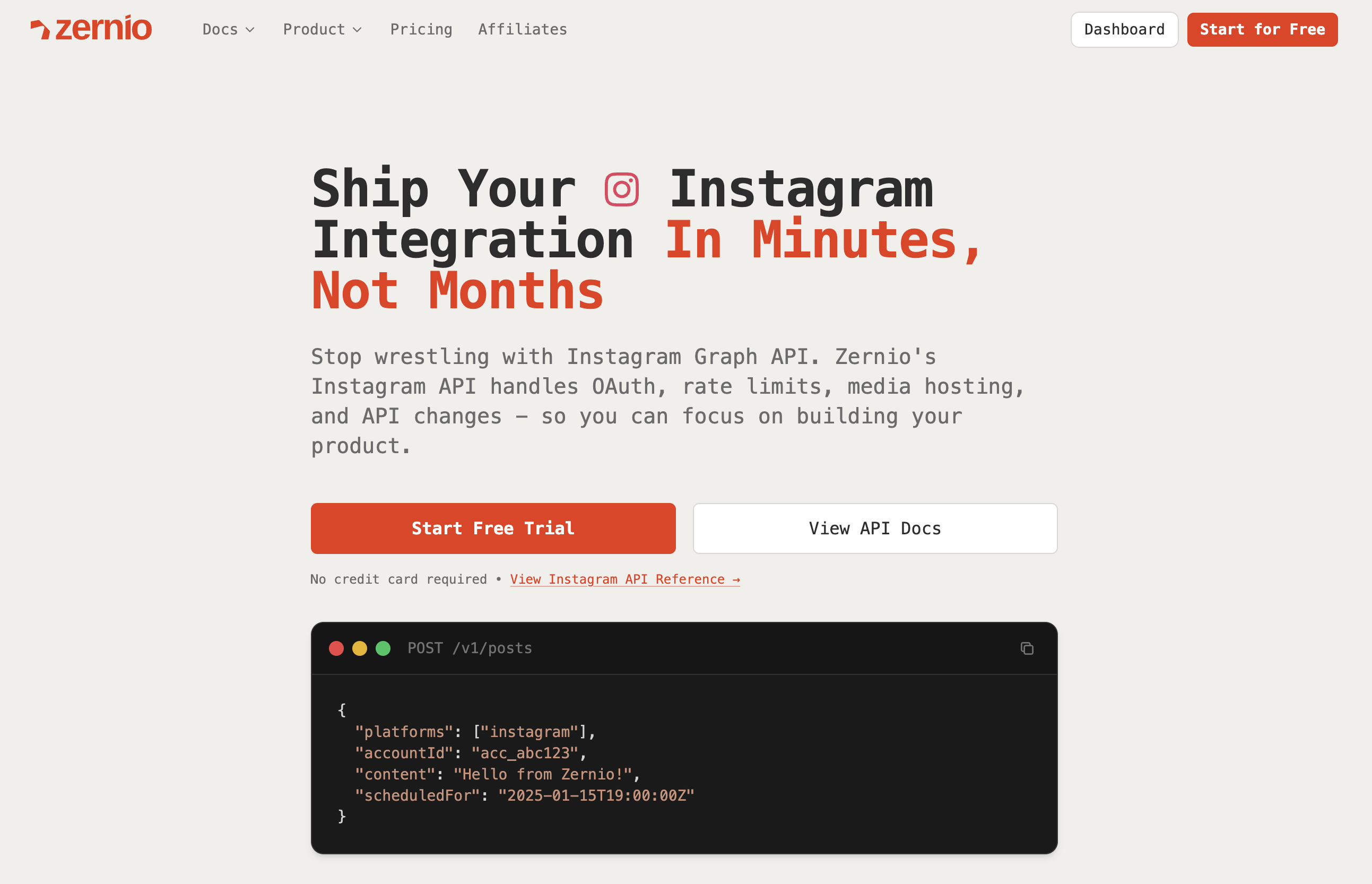
If Instagram is the only platform you'll ever need and you have an engineer to dedicate for two months, build directly against the Graph API. For everyone else, SaaS founders, AI agent builders, agencies, content tools, there's a faster path.
Zernio is a unified social media REST API that wraps Meta's official Instagram Graph API and 14 other platforms behind a single endpoint. One bearer token, one schema, full Instagram surface area: posting (photos, Reels, carousels, Stories), comments, DMs, analytics, and ads. No app review queue. No 60-day token refresh job. No three-step container polling.
When Zernio is the right call
| You're building | Why Zernio fits |
|---|---|
| An AI agent that posts to social | MCP server with 280+ tools, CLI with JSON output, ready in minutes |
| A content tool that publishes for end users | OAuth-as-a-service: one connect flow covers Instagram + 14 other platforms |
| An agency managing 50+ Instagram accounts | Flat pricing scales sanely ($318/mo for 100 accounts vs ~$900 with Ayrshare) |
| A SaaS adding social as one feature | Same API surface as Instagram works for TikTok, LinkedIn, X, YouTube, WhatsApp |
| A comments-to-DM lead gen flow | Built-in automation — no webhook infrastructure |
Scheduling a post to Instagram with Zernio is one call:
const response = await fetch('https://zernio.com/api/v1/posts', {
  method: 'POST',
  headers: {
    'Authorization': 'Bearer YOUR_API_KEY',
    'Content-Type': 'application/json'
  },
  body: JSON.stringify({
    platforms: [{
      platform: 'instagram',
      accountId: 'your-instagram-account-id'
    }],
    content: 'Beautiful sunset at the beach! 🌅 #sunset #photography',
    mediaItems: [{
      type: 'image',
      url: 'https://your-image-url.jpg'
    }],
    scheduledFor: '2024-01-15T19:00:00Z'
  })
});

const result = await response.json();
console.log('Scheduled successfully:', result.id);
No container ID, no polling, no token refresh job. The same call publishes Reels, carousels, and Stories, and adding TikTok or LinkedIn is one extra item in the platforms array.
For the full Instagram + Zernio integration walk-through, see how to post to Instagram via API.
FAQ
Is the Instagram API free?
Yes. Every official Meta Instagram API — Graph API, Instagram Login API, Messaging API — costs $0 to call. Costs come from engineering time (4-8 weeks for a first build) and ongoing maintenance as Meta ships quarterly API changes.
How do I get access to the Instagram API?
Create a Meta Developer account at developers.facebook.com, register a Business app, add the Instagram Graph API product, and request the permissions you need. For production access beyond 25 test users, submit for Meta App Review. Full walk-through in our Instagram Graph API guide.
What's the current Instagram Graph API version in 2026?
The current stable version is v25.0, released February 2026. Meta ships a new version roughly twice a year and supports each one for about two years, so update client code before older versions sunset.
What is the difference between the Instagram Graph API and Instagram API with Instagram Login?
The Instagram Graph API is for Business and Creator accounts that need publishing, analytics, comment management, and other management features. Instagram API with Instagram Login is the replacement for Basic Display API and is designed for consumer-facing apps that need read access to profile and media data.
Is the Basic Display API still available?
No. Meta deprecated the Basic Display API in December 2024. If you need the same kind of lightweight profile and media access today, use Instagram API with Instagram Login.
Can you post to Instagram with the API?
Yes, but only through the Instagram Graph API for Business and Creator accounts. Publishing supports photos, videos, carousels, Reels, and Stories, while personal-account read access through Instagram Login is read-only.
What are the Instagram API rate limits?
The Instagram Graph API generally allows 200 requests per hour per Instagram account, plus separate publishing caps such as 25 API-published feed posts per 24 hours. Efficient apps use caching, batching, and webhooks to stay within those limits.
Do you need Facebook Login to use Instagram APIs?
Not always. For Business and Creator automation, many teams still rely on Meta's broader app setup and connected asset flow. For consumer-facing read access, Instagram API with Instagram Login gives you a more direct Instagram auth path without the old Basic Display API setup.
What permissions do I need to publish Instagram posts through the API?
At minimum, most publishing workflows need instagram_basic plus instagram_content_publish. In practice, many apps also need Meta-side permissions such as pages_show_list during account connection, especially when working with Business accounts tied to Meta assets.
Is Instagram API with Instagram Login a replacement for Basic Display API?
Yes. Meta deprecated the Basic Display API in December 2024, and Instagram API with Instagram Login is now the read-focused option for consumer apps that need profile and media access without Graph API publishing features.
Ready to skip the complexity of managing multiple social APIs? With Zernio, you can integrate with Instagram, TikTok, LinkedIn, and more through one unified API. Get set up in under 15 minutes and start shipping features, not integrations. Check out the docs at Zernio.