Posting to LinkedIn via API means your code creates and publishes content directly to a profile or company page, no UI required. There are two ways to do it: build against LinkedIn's official REST API yourself, handling OAuth, token management, and rate limits from scratch, or use a unified posting API like Zernio that wraps all of that into one endpoint and extends to 15 platforms at once.
This guide covers both approaches with working code in Python, Node.js, and C#. You'll get everything you need to choose the right path and ship it.
Jump to the option you want:
- Option 1: Direct LinkedIn API - full control, build everything yourself
- Option 2: Zernio unified API - skip the infrastructure, post in minutes
Table of contents
- What are the LinkedIn API posting requirements?
- How do you set up a LinkedIn Developer App?
- How does LinkedIn API OAuth work?
- How do you create a LinkedIn post via API?
- How do you handle rate limits and errors?
- How do you post to LinkedIn with Zernio?
- Direct LinkedIn API vs Zernio: which should you use?
- Frequently asked questions
Option 1: Direct LinkedIn API
This is the full-control path. You register a LinkedIn Developer App, implement 3-legged OAuth, store and refresh tokens, and call LinkedIn's REST endpoints directly. It's the right choice if you need zero external dependencies or have a compliance requirement that rules out third-party API middleware.
Here's everything you need to get it running.
What are the LinkedIn API requirements for posting?
To post to LinkedIn via API, you need a LinkedIn Developer App with the right permissions enabled. The specific scopes depend on whether you're posting to a personal profile or a company page.
| Scope | What it does | Use case |
|---|---|---|
w_member_social | Post, comment, and like on behalf of a member | Personal profile posting |
profile | Read basic profile info including the user's URN | Required to get the author ID for any post |
w_organization_social | Post, comment, and like on behalf of an organization | Company page posting |
r_liteprofile | Read profile data for the authenticated user | Needed for older API versions |
For personal profile posting, you need w_member_social and profile. For company page posting, swap w_member_social for w_organization_social. The user must be an admin of the page for that scope to work.
Only request the scopes you actually need. LinkedIn's review process flags apps with unnecessary permissions, and users are less likely to authorize an app asking for access it doesn't appear to need.
How do you set up a LinkedIn Developer App?
Go to the LinkedIn Developer Portal and create a new app. You'll need to link it to a LinkedIn Company Page during setup. This is required even if you only plan to post to personal profiles. If you don't have a company page, create a placeholder one first.
Once the app is created, verify it immediately from the Settings tab. This confirms admin control over the linked page and unlocks the full configuration options.
Then enable the right Products for your use case:
- Share on LinkedIn: Unlocks the ability to publish posts, images, and videos
- Sign In with LinkedIn using OpenID Connect: Enables OAuth 2.0 so users can grant your app permission
Your Client ID and Client Secret live on the Auth tab. Store them in environment variables — never in source code.
Set your Redirect URI on the same tab. It must exactly match what you use in your OAuth code, including the protocol. For local development, http://localhost:3000/callback works fine.
How does LinkedIn API OAuth authentication work?
LinkedIn uses 3-legged OAuth 2.0. Your app requests permission from a user, LinkedIn handles the authorization without sharing the user's credentials with you, and you get back a token to act on their behalf.
Phase 1: Get an authorization code
Redirect the user to LinkedIn's authorization URL with these parameters:
response_type: Alwayscodeclient_id: Your app's Client IDredirect_uri: The exact callback URL you configuredscope: Space-separated list of permissions, e.g.profile w_member_socialstate: A random string for CSRF protection
LinkedIn shows the user a consent screen. If they approve, LinkedIn redirects them to your redirect_uri with a temporary authorization code in the URL.
Phase 2: Exchange the code for an access token
The authorization code is short-lived and single-use. Exchange it server-side - never from the browser, because your Client Secret is involved.
curl -X POST 'https://www.linkedin.com/oauth/v2/accessToken' -H 'Content-Type: application/x-www-form-urlencoded' --data-urlencode 'grant_type=authorization_code' --data-urlencode 'code={YOUR_AUTHORIZATION_CODE}' --data-urlencode 'redirect_uri={YOUR_REDIRECT_URI}' --data-urlencode 'client_id={YOUR_CLIENT_ID}' --data-urlencode 'client_secret={YOUR_CLIENT_SECRET}'
A successful response returns a JSON object with access_token and expires_in. LinkedIn access tokens expire after 60 days. After that, any API call returns 401 Unauthorized and the user needs to re-authorize.
Phase 3: Make authenticated API calls
Every request to a protected endpoint needs the token in the Authorization header.
curl -X GET 'https://api.linkedin.com/v2/userinfo' -H 'Authorization: Bearer {YOUR_ACCESS_TOKEN}'
The /userinfo response includes the user's ID, which you'll need when creating posts. The URN format for a personal profile is urn:li:person:{id}, and for a company page it's urn:li:organization:{id}.
One header people frequently miss: always include X-Restli-Protocol-Version: 2.0.0 and LinkedIn-Version: {YYYYMM} on every request. Forgetting these is one of the most common causes of confusing 400 errors, especially when calling the /userinfo endpoint.
Stop building social integrations from scratch.
One API call to publish, schedule, and manage posts across 17 platforms.
How do you create a LinkedIn post via API?
Posts go to POST https://api.linkedin.com/rest/posts. Use the UGC Posts format (not the legacy Shares API) - it supports images, video, carousels, and articles, and it's the only one that will get new features going forward.
Text post: Python
import requests
import json

access_token = 'YOUR_ACCESS_TOKEN'
author_urn = 'urn:li:person:YOUR_PERSON_ID' # or urn:li:organization:ID for company pages

headers = {
 'Authorization': f'Bearer {access_token}',
 'Content-Type': 'application/json',
 'X-Restli-Protocol-Version': '2.0.0',
 'LinkedIn-Version': '202504',
}

post_data = {
 "author": author_urn,
 "commentary": "Posting to LinkedIn via API in 2026. Here's what I learned.",
 "visibility": "PUBLIC",
 "distribution": {
 "feedDistribution": "MAIN_FEED",
 "targetEntities": [],
 "thirdPartyDistributionChannels": []
 },
 "lifecycleState": "PUBLISHED",
 "isReshareDisabledByAuthor": False
}

response = requests.post(
 'https://api.linkedin.com/rest/posts',
 headers=headers,
 data=json.dumps(post_data)
)

print(response.status_code) # 201 on success
print(response.headers.get('x-restli-id')) # The new post's URN
A 201 Created response means the post is live. The post URN comes back in the x-restli-id response header, not the body.
Text post: Node.js
const axios = require('axios');

const accessToken = 'YOUR_ACCESS_TOKEN';
const authorUrn = 'urn:li:person:YOUR_PERSON_ID';

const postPayload = {
 author: authorUrn,
 commentary: 'Posting to LinkedIn via API in 2026.',
 visibility: 'PUBLIC',
 distribution: { feedDistribution: 'MAIN_FEED' },
 lifecycleState: 'PUBLISHED',
 isReshareDisabledByAuthor: false,
};

axios.post('https://api.linkedin.com/rest/posts', postPayload, {
 headers: {
 'Authorization': `Bearer ${accessToken}`,
 'X-Restli-Protocol-Version': '2.0.0',
 'LinkedIn-Version': '202504',
 'Content-Type': 'application/json',
 },
})
.then(res => console.log('Post URN:', res.headers['x-restli-id']))
.catch(err => console.error(err.response.data));
Text post: C#
using System.Net.Http;
using System.Net.Http.Json;

var client = new HttpClient();
client.DefaultRequestHeaders.Add("Authorization", "Bearer YOUR_ACCESS_TOKEN");
client.DefaultRequestHeaders.Add("X-Restli-Protocol-Version", "2.0.0");
client.DefaultRequestHeaders.Add("LinkedIn-Version", "202504");

var postData = new {
 author = "urn:li:person:YOUR_PERSON_ID",
 commentary = "Posting to LinkedIn via API in 2026 from C#.",
 visibility = "PUBLIC",
 distribution = new { feedDistribution = "MAIN_FEED" },
 lifecycleState = "PUBLISHED",
 isReshareDisabledByAuthor = false
};

var response = await client.PostAsJsonAsync(
 "https://api.linkedin.com/rest/posts",
 postData
);

Console.WriteLine(response.StatusCode); // Created
Console.WriteLine(response.Headers.GetValues("x-restli-id").FirstOrDefault());
Image and video posts
Media posts use a three-step process. You register the upload with LinkedIn, upload the raw file, then reference the asset URN in your post payload.
Step 1: Register the upload
const registerRes = await axios.post(
 'https://api.linkedin.com/rest/images?action=initializeUpload',
 { initializeUploadRequest: { owner: authorUrn } },
 { headers }
);

const { uploadUrl, image } = registerRes.data.value;
// image = 'urn:li:image:...' — save this for step 3
Step 2: Upload the binary
const imageBuffer = fs.readFileSync('./your-image.jpg');

await axios.put(uploadUrl, imageBuffer, {
 headers: { 'Content-Type': 'image/jpeg' }
});
Step 3: Create the post with media
const postWithImage = {
 author: authorUrn,
 commentary: 'A post with an image via the LinkedIn API.',
 visibility: 'PUBLIC',
 distribution: { feedDistribution: 'MAIN_FEED' },
 content: {
 media: {
 id: image, // The URN from step 1
 altText: 'Descriptive alt text for accessibility.'
 }
 },
 lifecycleState: 'PUBLISHED',
 isReshareDisabledByAuthor: false,
};
The three-step media upload is intentionally separate from the post creation. It makes large file uploads more reliable, especially at scale.
Option 2: Post to LinkedIn with Zernio
Building directly against LinkedIn's API works. But it's also a real project: OAuth flows, token storage, 60-day refresh cycles, rate limit handling, error retries, and webhook infrastructure if you need engagement data. For a team adding LinkedIn posting as one feature among several, that's weeks of build time before a single post goes live.
Zernio is a unified social API that handles all of that LinkedIn API infrastructure and extends it to 15 platforms from one endpoint.
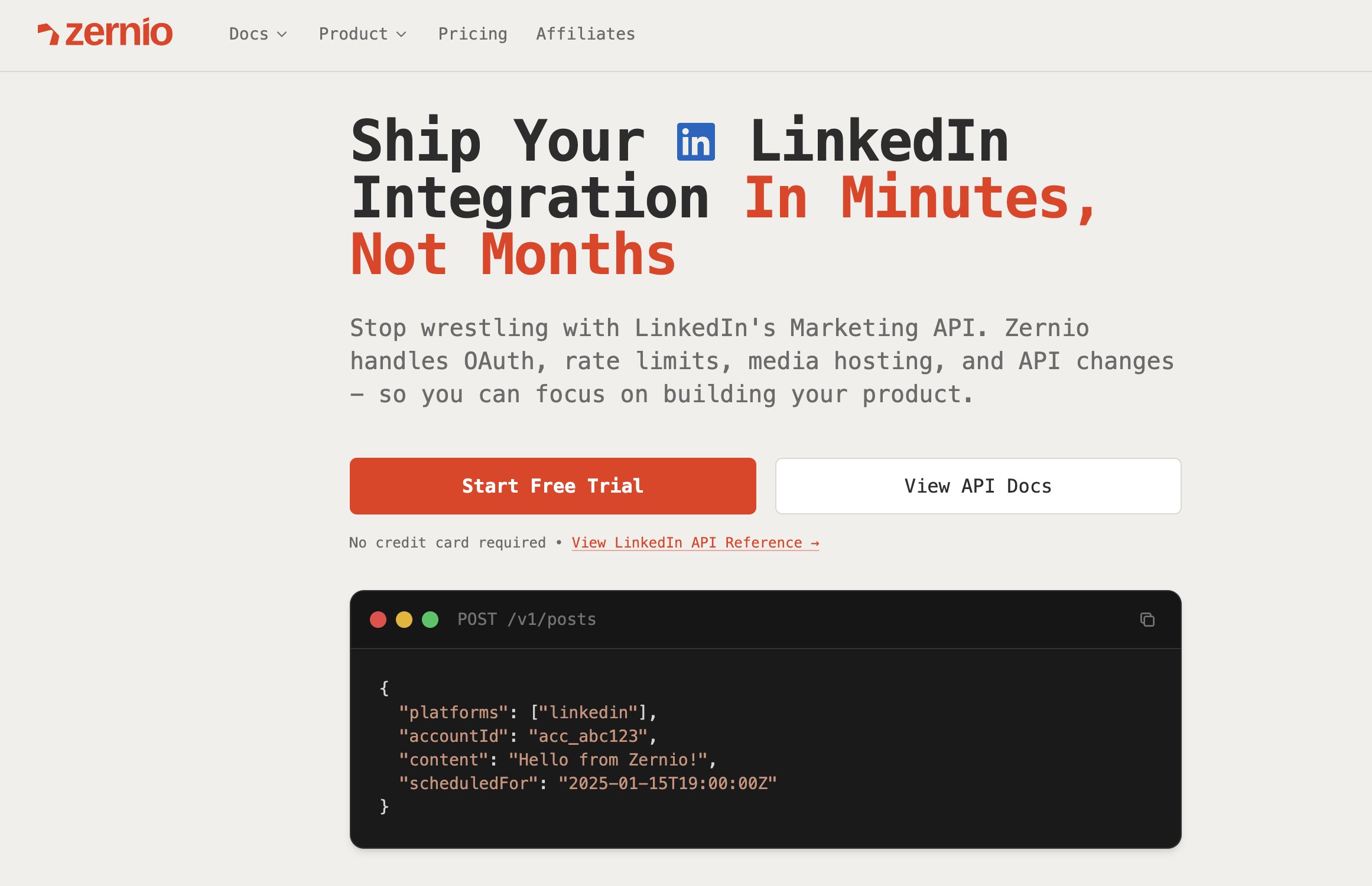
How do you automate LinkedIn posting with a unified API?
Here's the same LinkedIn post in Python:
result = client.posts.create_post(
 content="Excited to share our latest update!

We have been working hard on this feature...",
 platforms=[
 {"platform": "linkedin", "accountId": "YOUR_ACCOUNT_ID"}
 ],
 publish_now=True
)
post = result.post
print(f"Posted to LinkedIn! {post['_id']}")
Use Zernio API to schedule a post for later:
const { post } = await zernio.posts.createPost({
 content: 'Hello world! This is my first post from the Zernio API',
 scheduledFor: '2024-01-16T12:00:00',
 timezone: 'America/New_York',
 platforms: [
 { platform: 'linkedin', accountId: 'YOUR_ACCOUNT_ID' }
 ]
});

console.log('Post scheduled:', post._id);
Use Zernio to post to multiple LinkedIn accounts / organizations:
const { post } = await zernio.posts.createPost({
 content: 'Exciting updates from our organization!',
 platforms: [
 {
 platform: 'linkedin',
 accountId: 'YOUR_ACCOUNT_ID',
 platformSpecificData: { organizationUrn: 'urn:li:organization:111111111' }
 },
 {
 platform: 'linkedin',
 accountId: 'YOUR_ACCOUNT_ID',
 platformSpecificData: { organizationUrn: 'urn:li:organization:222222222' }
 }
 ],
 publishNow: true
});
console.log('Posted to LinkedIn!', post._id);
Other use cases you can build on top of Zernio's official LinkedIn API integration include sending different post formats (text-only, single-image, multi-image, document/carousel), managing geo-restrictions, controlling the first comment, and more. Find more in Zernio Docs.
Token management is automatic. Zernio refreshes LinkedIn tokens before they hit the 60-day expiry, so you never deal with 401 errors from stale tokens.
What else does Zernio cover for LinkedIn?
LinkedIn scheduling and posting is one of five API products. Through the same integration and the same bearer token:
LinkedIn comments API: Read, reply to, and moderate comments on your LinkedIn posts programmatically. Useful for building engagement workflows or customer support automation on company pages.
LinkedIn analytics: Pull impressions, clicks, reactions, and follower data directly into your own systems. No manual CSV exports.
Pull LinkedIn post analytics:
analytics = client.analytics.get_analytics(
 platform="linkedin",
 from_date="2024-01-01",
 to_date="2024-01-31"
)
print(analytics["posts"])
LinkedIn Ads: Boost posts, create standalone campaigns, manage ad sets, and pull campaign analytics - all through the same API. No separate LinkedIn Campaign Manager integration required.
Cross-platform social publishing: LinkedIn shares the same
posts.createcall as Instagram, TikTok, X, Facebook, YouTube, and 10 more. If you're already posting to LinkedIn, adding another platform is one extra item in theplatformsarray, not a new integration project.
Posting to LinkedIn with an AI agent
If you're building an autonomous agent or wiring LinkedIn into an existing one, Zernio has a hosted MCP server at mcp.zernio.com with 280+ tools. That includes LinkedIn posting, comment replies, analytics pulls, and ad management, all accessible through any MCP-compatible client: Claude Desktop, Cursor, Windsurf, and others.
The agent doesn't need to manage OAuth or handle rate limits. It calls the MCP tools with plain inputs and gets structured JSON back. Here's what the loop looks like in practice:
Agent: create a LinkedIn post → mcp.zernio.com/linkedin/posts/create
Agent: check engagement after 24h → mcp.zernio.com/linkedin/analytics/get
Agent: boost top performer → mcp.zernio.com/linkedin/ads/boost
The same MCP server covers 15 platforms, so an agent posting to LinkedIn can extend to Instagram, X, or TikTok without a separate integration. For teams building AI content pipelines, this means the full publish → monitor → promote loop runs autonomously through one tool server.
Zernio also ships a CLI with structured JSON output (npm install -g @zernio/cli) for scripted workflows, and an OpenAPI spec and llms.txt for LLM-readable documentation. Everything is built for agents to parse and act on, not just humans to read.
Why the pricing model matters for scale
LinkedIn's API is free. Your costs with a direct integration are infrastructure: hosting your OAuth server, webhook endpoint, and token refresh jobs. That's manageable at a small scale.
If you're building a product where end-users connect their own LinkedIn accounts, the costs compound. A tool with 100 connected accounts needs to maintain 100 separate OAuth tokens, 100 refresh cycles, and rate limit handling for 100 simultaneous users.
Zernio charges per connected account with volume discounts: $6/account for accounts 3–10, $3 for 11–100, $1 for 101–2,000. At 100 accounts, that's $318/mo with every feature included.
Start building with Zernio → First 2 accounts free.
How do you handle LinkedIn API rate limits and errors?
LinkedIn enforces rate limits at two levels: per authenticated user (each user has their own request quota) and per application (your app has a global ceiling across all users). Hit either and you get 429 Too Many Requests.
Don't retry immediately on a 429. Use exponential backoff: wait 1 second, retry, then double the wait on each subsequent failure up to a cap of 32 seconds. It's the standard approach and it keeps you within LinkedIn's expectations for well-behaved API clients.
Common HTTP errors
| Status code | Error | Common cause and fix |
|---|---|---|
401 Unauthorized | Token expired or invalid | Refresh with your refresh token. If that fails, the user needs to re-authorize. |
403 Forbidden | Scope mismatch | Your app tried to post to a company page with only w_member_social. Check scopes. |
400 Bad Request | Malformed payload | Missing author URN, wrong URN format, or missing required headers. Validate against the docs. |
429 Too Many Requests | Rate limit hit | Back off and retry. Check both per-user and per-app limits. |
Build handlers for all four from day one. The difference between a script and a production integration is exactly this - not the happy path, but what happens when things break at 2am.
Direct LinkedIn API vs unified API: which should you use?
| Direct LinkedIn API | Zernio | |
|---|---|---|
| Setup time | 3-6 weeks | Under 30 minutes |
| Platforms | LinkedIn only | 15 platforms |
| Languages with examples | Python, Node.js, C#, and more | 8 SDKs + REST |
| Token management | Manual (60-day expiry) | Automatic |
| Rate limit handling | You implement | Built in |
| Company page + personal profile | Yes | Yes |
| Comments, analytics, LinkedIn Ads | Separate integrations | Same API, same bearer token |
| Scheduling and bulk posting | Build from scratch | Included |
| Pricing | Free (LinkedIn API) + your infra | From $6/account/mo, first 2 free |
Choose the direct LinkedIn API if you have a compliance requirement that rules out third-party API middleware, or if LinkedIn is the only platform your product will ever need and you want zero external dependencies.
For most teams building products that include LinkedIn posting, especially if you'll eventually need scheduling, analytics, engagement management, or other platforms - Zernio saves the full build and keeps every future feature a single API call away.
Frequently asked questions
Can I post to a LinkedIn Group via API?
No. LinkedIn removed API access for Group posting to reduce spam. All Group activity has to go through LinkedIn's app or website. The API supports personal profiles and company pages only.
What's the difference between UGC Posts and the Shares API?
Shares is the legacy API. UGC Posts (User Generated Content) is the current one. Build with UGC Posts - it supports images, video, carousels, and articles, and it's the only format that receives new features. The Shares API isn't going away, but it's effectively frozen.
How do I format mentions in LinkedIn API posts?
You can't use @ in the text body and expect it to link. LinkedIn requires a dedicated mentions array in your payload. Each mention needs a start position, a character length, and the full URN of the person or organization you're tagging (urn:li:person:{id} or urn:li:organization:{id}). More setup upfront, but it guarantees your tags resolve correctly.
Can an AI agent post to LinkedIn via API?
Yes. Zernio's hosted MCP server at mcp.zernio.com exposes 280+ tools, including LinkedIn posting, comment replies, analytics, and ad management. Any MCP-compatible agent (Claude Desktop, Cursor, Windsurf) can call these tools directly without handling OAuth or rate limits. The agent gets structured JSON responses it can act on: publish a post, check engagement 24 hours later, boost the best performer.
Does Zernio support both LinkedIn personal profiles and company pages?
Yes. You connect both account types through Zernio's OAuth flow, and post to either using the same API call. The accountId in the request determines whether the post goes to a personal profile or a page.
What LinkedIn features does Zernio support beyond posting?
Comments (read, reply, moderate), LinkedIn analytics (impressions, engagement, follower data), LinkedIn Ads (boost posts, create campaigns, pull campaign analytics), scheduling, bulk posting via CSV, and a visual content calendar. All through the same integration and bearer token you use for posting.
How do I get a LinkedIn API key?
LinkedIn doesn't issue standalone API keys. Access is tied to an OAuth 2.0 app you create in the LinkedIn Developer Portal. Your Client ID and Client Secret (on the Auth tab of your app) function as your credentials. You use them to generate access tokens for each user who connects their LinkedIn account to your app.